JOB MANAGEMENT FOR THE TRADES
RUN THE JOB. STOP CHASING THE DETAILS.
Keep leads, estimates, crew schedules and invoices in one place. Run the business on the web. Put job details and photos in your crew’s hands on iPhone.
30 days free. No credit card.
Plans from $90 CAD/month for up to 3 people.
See all crew sizesFROM THE PEOPLE DOING THE WORK.
I came to OPS from Jobber. We went from our crew ignoring the app, to being excited to use it.
OPS is saving me likely 2 hours daily of coordination and back & forth, which has impressed me, but more surprising is how much more efficient my crew is. Can't explain it, but they are getting jobs done faster, and we are getting less callbacks. No complaints here.
THE JOB MOVES FORWARD. THE DETAILS STAY WITH IT.
The enquiry is in your inbox. The plan is in a text. The photos are on someone else’s phone. OPS gives the work a place to live.
Quote
Owner · Web
KNOW WHAT NEEDS A FOLLOW-UP.
Keep client details and follow-up notes with the lead. Build the estimate with line items and review its status before the job starts.
Plan
Owner + crew · Web and iPhone
GIVE THE CREW THE SAME PLAN.
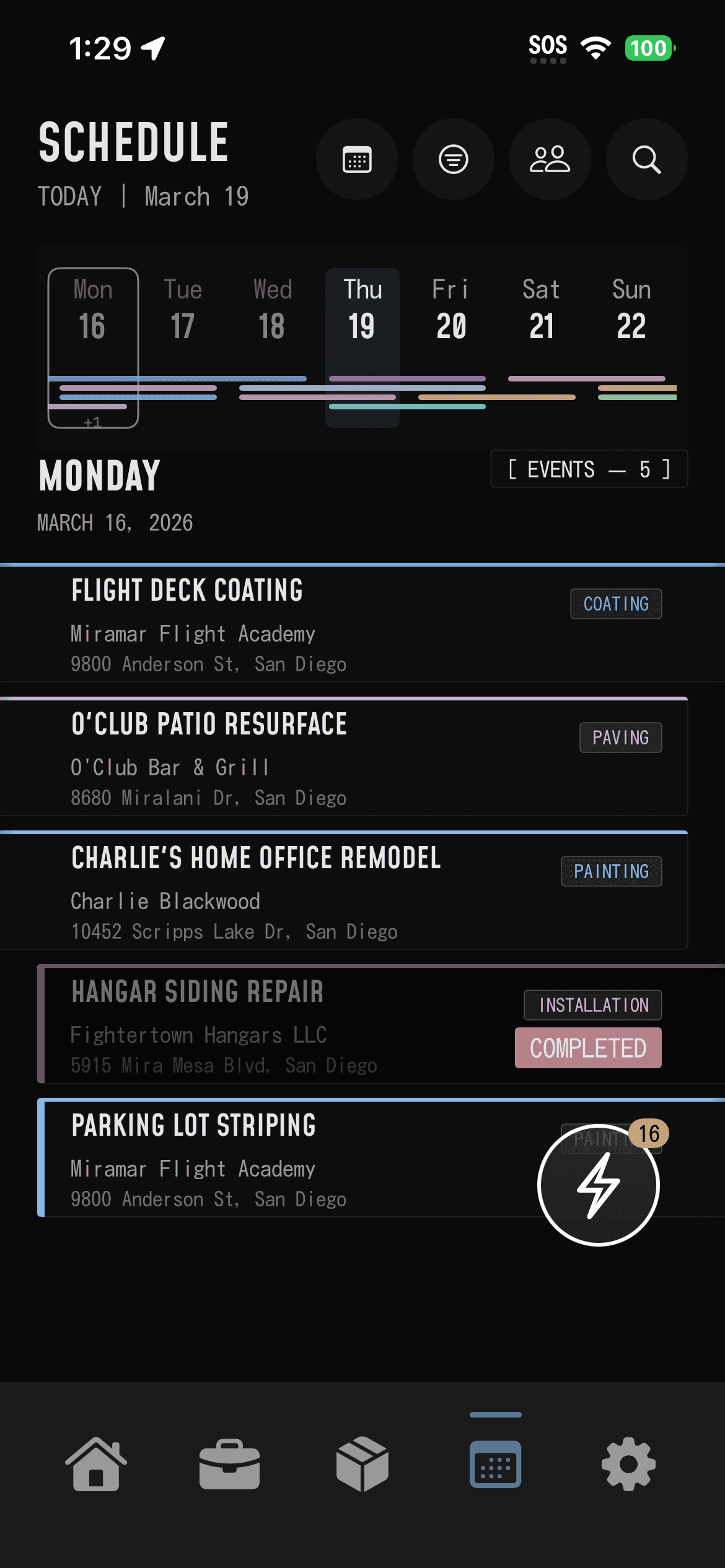
Put the address, scope and assigned work on the job. Give the task a date so the crew can see where to go and what is next.
Work
Crew in the field · iPhone
KEEP THE PHOTOS WITH THE WORK.
Add site photos and job notes to the project. Open that record when the crew or client needs an update.
Invoice
Owner · Web
SEE WHAT IS STILL OWED.
Turn an approved estimate into an invoice. Record payments and track the outstanding balance.
ONE JOB. YOUR CREW. SEE FOR YOURSELF.
Use one real job to find out whether OPS fits. Start on the web; your crew uses the iPhone app in the field. There is no native Android app.
Choose the next job.
Create your company, add one project and put the address and scope in it. Keep your existing records while you try it.
Put the plan in their hands.
Invite the people doing the work. Give a task a date and an assigned crew, then open the plan together.
Make it earn its place.
Use the job to check the schedule, notes and photos. Decide with your crew whether the next job belongs in OPS too.
CREW-SIZE PRICING
KNOW WHAT IT COSTS BEFORE YOU START.
Monthly plans in Canadian dollars, sized by the people on your team.
Canadian dollars. Billed monthly. Taxes additional.
START MY FREE TRIAL30 days free. No credit card.
| Your crew | Monthly price |
|---|---|
| Up to 3 peopleStarter | $90 CAD / month |
| Up to 5 peopleTeam | $140 CAD / month |
| Up to 10 peopleBusiness | $190 CAD / month |
Choose a paid plan after your trial. Payment processing and optional services may carry separate fees. Full plan details.
THE QUESTIONS BEFORE THE SWITCH.
What if my crew will not use another app?
Give them one real job to try. Check whether they can find the address, see the assigned work and add the job photos. Use the trial to judge the handoff together before moving more work into OPS.
Do I have to move everything over?
Start with the next job and the people doing it. Keep your existing records while you try the workflow. If you need to import data, check the available options with support before committing to a move.
Can I use OPS for estimates and invoices too?
Yes. Create estimates, convert approved estimates to invoices, record payments and track what is owed. Check any payment, accounting or specialist integration you rely on before moving those workflows.
Which phones does my crew need?
OPS has an iPhone app for the field and a web app for running the business. There is no native Android app. Web signup and shared updates need an internet connection.
What happens after the free trial?
Try OPS for 30 days with up to 10 people. No credit card is required to start. After the trial, choose a paid plan to keep using OPS. Published prices are monthly in Canadian dollars, plus tax.
PUT IT TO WORK
LET THE NEXT JOB PROVE IT.
Put a real job in OPS. See what your crew does with a clear plan.
START MY FREE TRIAL30 days free. No credit card.